


Google Cloud StorageでLifecycle!

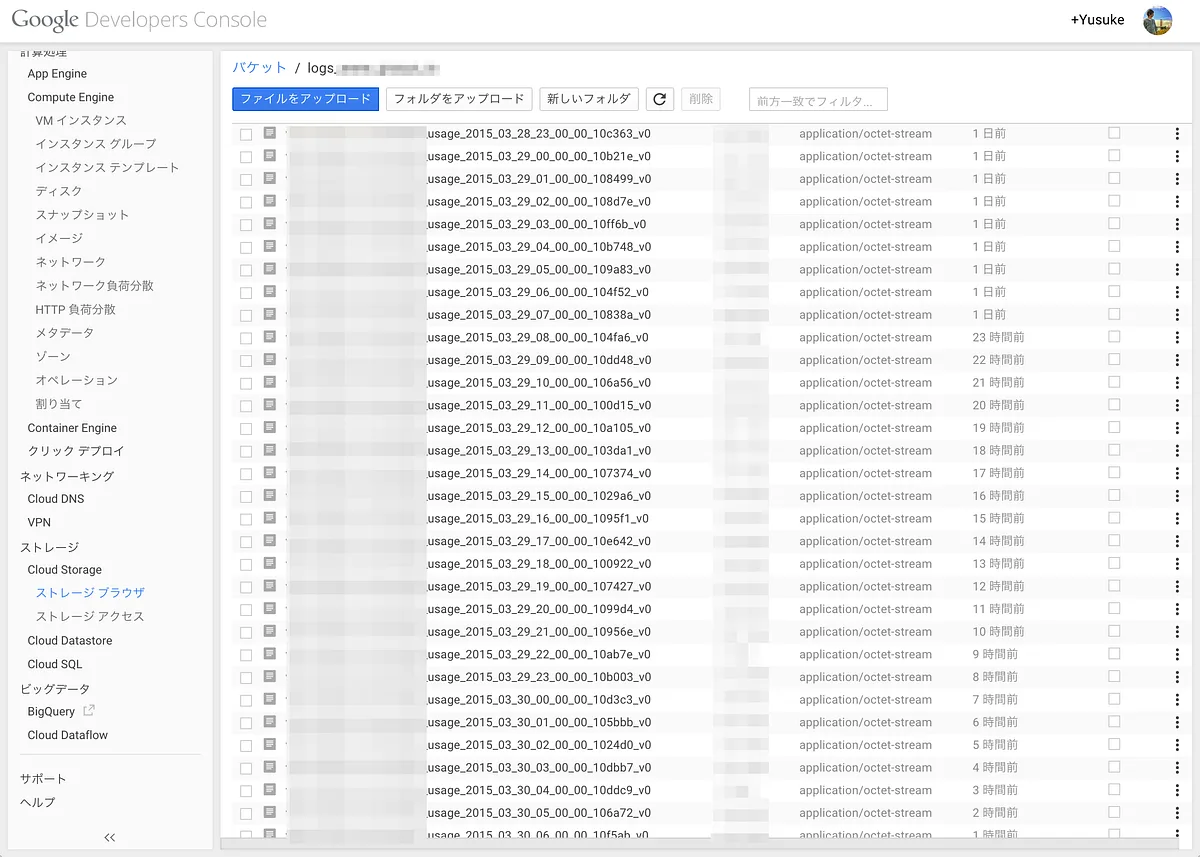
Website Logging設定したあとにLifecycleで古いファイルを消したりできる!
便利だし簡単!
Object Lifecycle Management
To support common use cases like setting a Time to Live (TTL) for objects or deleting older versions of objects, Google…
cloud.google.com
lifecycle_config.json
こんなファイルを作って
{
    "rule":
    [
      {
        "action": {"type": "Delete"},
        "condition": {"age": 365}
      }
    ]
}
gsutilで設定
gsutil lifecycle set lifecycle_config.json gs://logs_xxx_xxxx_xxx設定確認
gsutil lifecycle get gs://logs_xxx_xxxx_xxxするとファイルが消されて行きます。
検証してみる
ちょっとわかりにくいかもしれないけど
以下は検証目的で1日で削除するように設定した例
{
    "rule":
    [
      {
        "action": {"type": "Delete"},
        "condition": {"age": 1}
      }
    ]
}
4日間程度放置してみたけどファイルは1日分を残して消されてます。
あと重要なのはGoogle Cloud Storage Nearlineでも使えること!
転載:Google Cloud StorageでLifecycle!
この記事は Medium(@yusuke_h) からの転載です。
この記事を書いた人